Updatedv2.5.0Available for Browsers

ZHX CoreTax Downloader

Bulk-Download CoreTax DJP Documents, No More One-by-One Clicking

A browser extension for automating bulk downloads, data extraction, and document archiving from the official Coretax DJP portal. Supports e-Invoices, e-Withholding Slips, Filed Tax Returns, General Ledger, and Tax Assessment Cards, with .ZIP packaging, real-time tax counters, spreadsheet export, and automatic file naming — all executed locally in your browser.
3-Day Free Trial Auto-ActivatedChrome, Edge & Firefox100% Local & Secure Execution
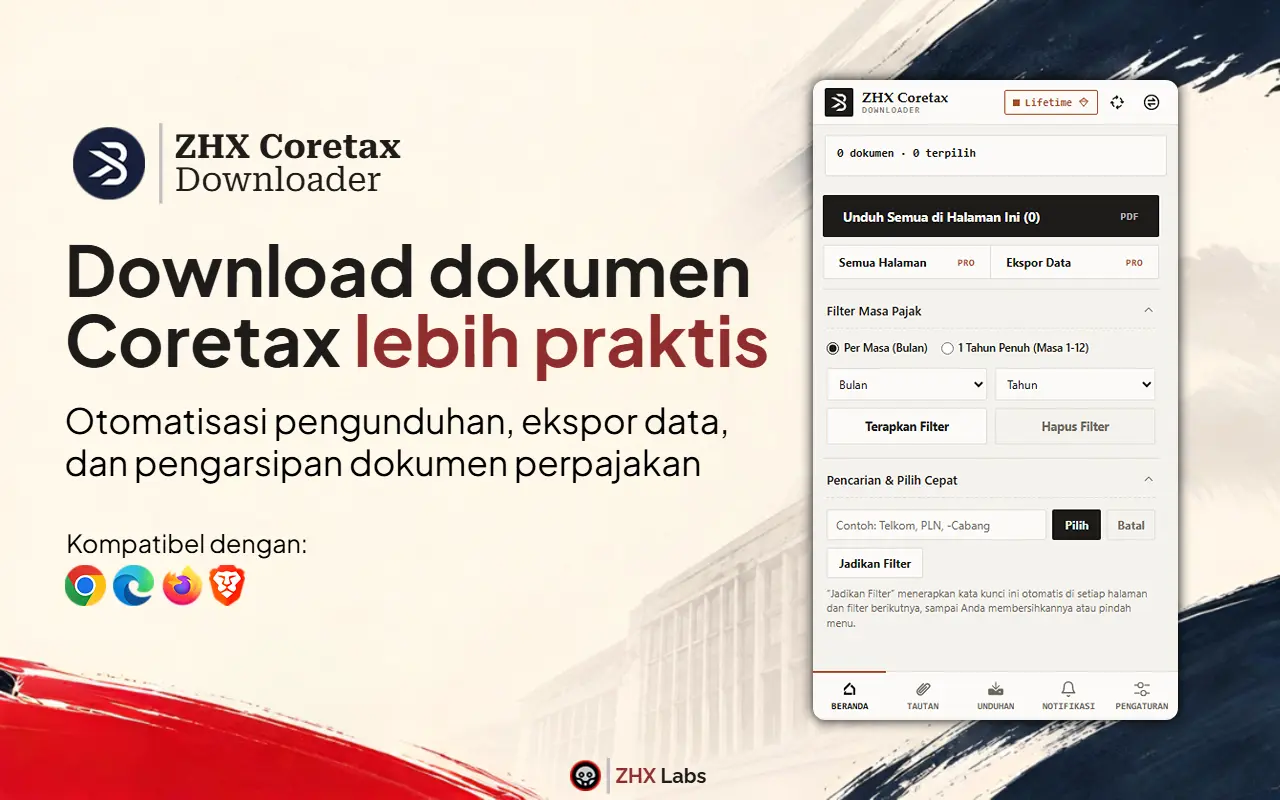
ZHX CoreTax Downloader side panel interface docked on CoreTax DJP portal
CategoryBrowser Extension
Latest Versionv2.5.0
License Model3-Day Trial / Lifetime
License PriceRp 50.000
CompatibilityChrome, Edge, Firefox
Target Domaincoretaxdjp.pajak.go.id

Why Do You Need This Extension?

Managing tax compliance across high transaction volumes, numerous staff, and multiple filing periods on CoreTax DJP demands maximum speed without compromising data accuracy.

If you have ever handled tax administration for large transaction volumes or several tax filing periods at once, you are familiar with the exhausting manual routine: opening each document one by one, clicking the download button, waiting for server responses, manually renaming files, and repeating the process dozens or hundreds of times.

ZHX CoreTax Downloader automates this entire chain of tasks. What used to take hours of tedious, repetitive manual clicking is now completed in minutes — consistently, cleanly organized, and free from human error.

Supported CoreTax Document Modules

Engineered specifically to recognize and parse table structures across all critical modules of the Indonesian CoreTax DJP portal.

e-Faktur

Batch-download Output VAT Invoices, Input VAT Invoices, replacement invoices, and cancellation records.

e-BUPOT / Withholding Slips

Automated downloading of Income Tax Withholding Receipts (PPh 21/26, PPh Unifikasi) and third-party withholding documents.

Filed Tax Returns

Archive historical tax returns including Periodic VAT, PPh 21, Unified Income Tax, and Annual Corporate and Individual Tax Returns — including the Electronic Receipt (BPE).

General Ledger

Extract the entire General Ledger to .XLSX with separate Debit and Credit columns, plus a balance summary based on the active Coretax filter.

Billing Codes & Assessments

Automatic naming for printed Self-Billing Code documents, and export of Tax Assessment (STP/SKP) cards to .XLSX or .CSV.

Adaptive Table Engine

Intelligent heuristic algorithms that automatically recognize and adapt to table patterns across other CoreTax portal pages.

Core Features & Automation Capabilities

Technical capabilities engineered specifically to eliminate friction and drastically accelerate your tax compliance operations.

Three Download Modes

Choose Download All on the active page, Download Selected based on checked rows, or Download All Pages to automatically traverse every table pagination page.

.ZIP Archive Packaging

Bundle all downloaded results into a single structured archive, complete with a recap spreadsheet inside. Space-efficient and clean for archiving.

Automatic Rename & Subfolders

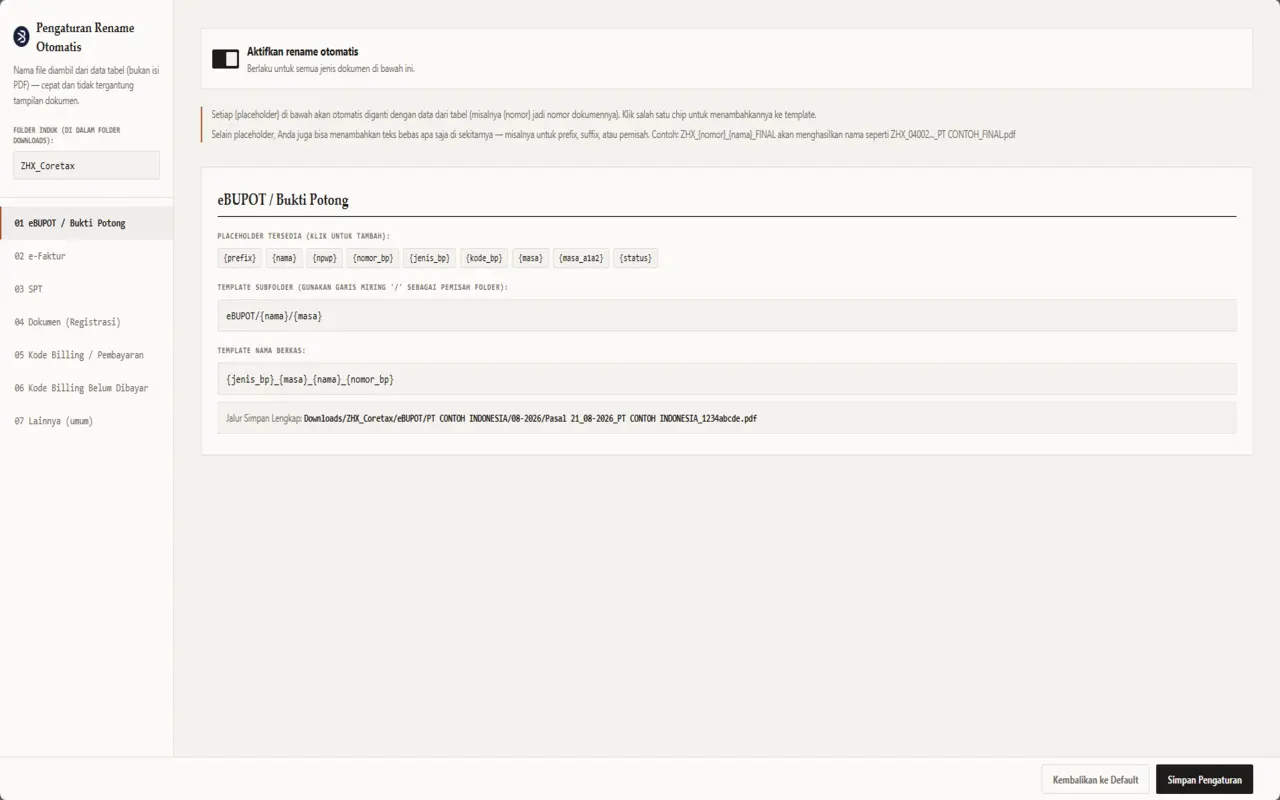
File names and nested folder structures are generated automatically from Coretax table metadata (document numbers, counterparty names, tax periods). Templates are customizable per document type.

Tax Period Filter & Annual Scrape

Apply month/year filters directly from the panel — including on pages with separate month and year columns — or extract a full year of data in one automated run.

Real-Time Tax Counter

Totals for Tax Base, VAT, Withholding Tax, and Assessment Bills update automatically as rows are checked. CANCELED/AMENDED invoices can be excluded from the totals on demand.

Spreadsheet Export & BPE

Extract multi-page table data to .XLSX or .CSV, and save each return's Electronic Receipt (BPE) alongside its PDF — included in the .ZIP archive when ZIP mode is active.

PDF Preview & Smart Multi-Check

View PDF contents in a new window without saving them, and select hundreds of documents at once with include/exclude keywords (e.g., "Telkom, -Branch").

Side Panel & Tab Navigation

A persistent side panel on Chrome and Edge with Home, Links, Downloads, and Settings tabs. On Firefox, the interface appears as the browser's native sidebar.

100% Client-Side Privacy

All automation, calculations, and archive creation run inside your browser. No credentials, tax IDs, or tax documents are transmitted to any third-party server.

Core Workflow Previews

Screenshots of core automation features in action on the CoreTax DJP portal.
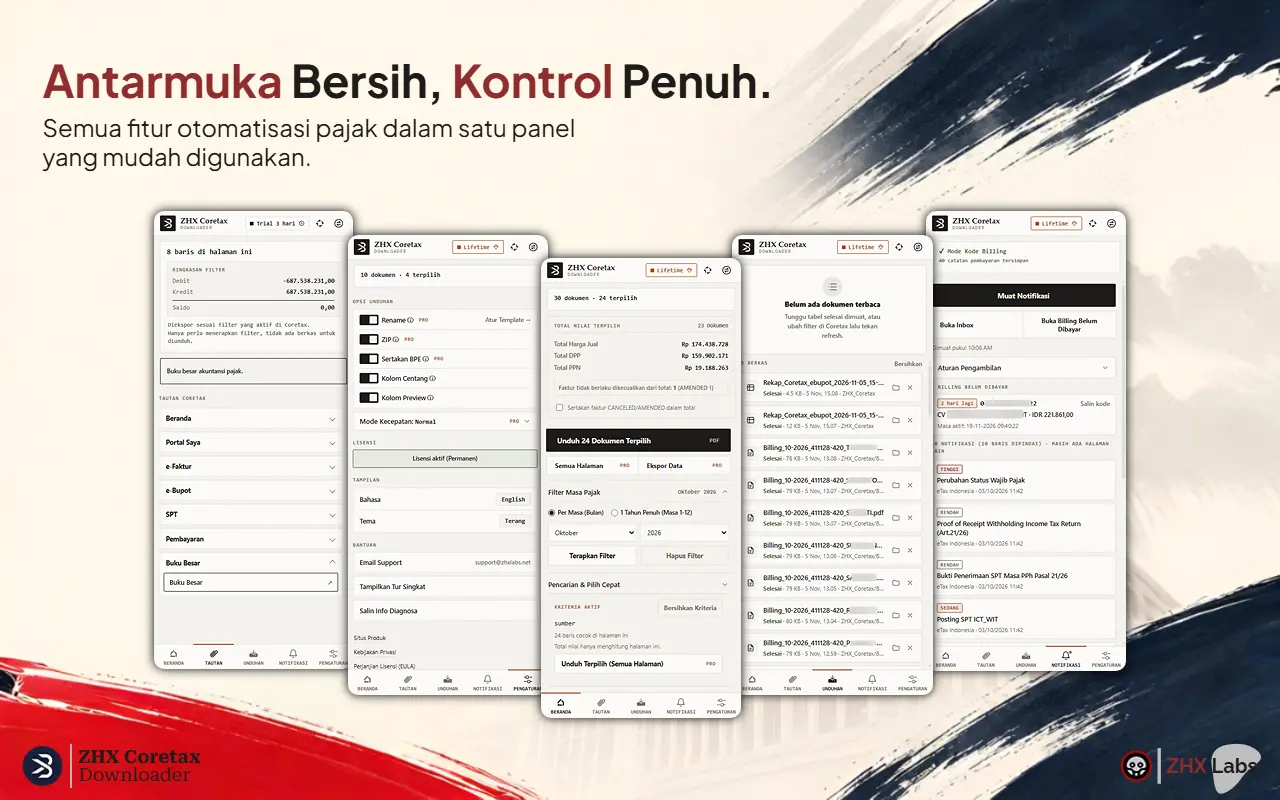
Full control with a clean interface
A clean interface with automation features all in one panel.
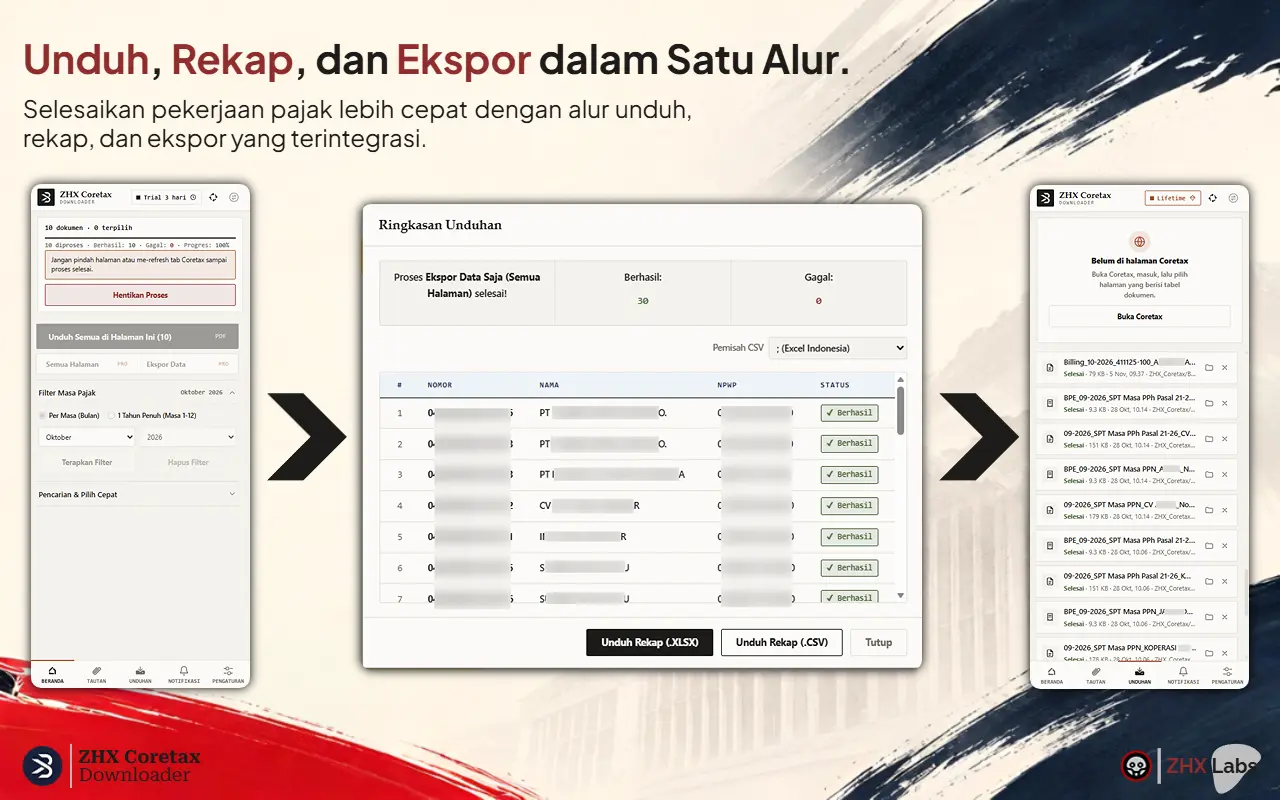
Download information in a single workflow.
Download, summarize, and export data in a single, integrated workflow.
Automatic file and folder naming template settings
Custom file renaming templates with dynamic table data placeholders.

Browser Compatibility Matrix

Supported modern web browsers and interface integration specifications.

Web BrowserSupport StatusDisplay ModeTechnical Notes
Google Chrome✅ Fully SupportedSide PanelPersistent side panel docked to the browser tab without accidental popup closing.
Microsoft Edge✅ Fully SupportedSide PanelNative integration with Edge Side Panel architecture for uninterrupted multitasking.
Mozilla Firefox✅ SupportedPopup ModeFully functional via the standard browser action popup window.

Licensing Options

Available licensing choices to activate and use ZHX CoreTax Downloader:

Free

3-Day Free Trial

Test all bulk-download capabilities with zero restrictions. Automatically active for 3 days starting from initial browser installation.

One-Time

Paid Serial Key (Rp 50.000)

Full, perpetual lifetime access with regular compatibility updates. Official license purchasing and payment methods are completed via the order page.

Buy Serial on Order Page →
Community

Claim Community Promotion Access

A free license option is available as a token of appreciation for supporters of our official channel. Simply subscribe to or follow our channel, submit a proof link or your account details via the claim menu in the extension, and our team will review your request.

Update History

Release notes and feature evolution for ZHX Coretax Downloader.

Version 2.5.0New Look

Panel redesign with new bottom-tab navigation:

  • New Links tab: shortcuts to 7 groups of Coretax menus (Home, My Portal, e-Invoice, e-Withholding Slips, Tax Returns, Payment, Ledger) with descriptions.
  • New Downloads tab: local download history (max 500 entries) with status, folder, time, a button to reveal the file, and Clear.
  • New License status chip in the header, spinning refresh button, and Stop button moved to the status area.
  • New {nama_wp} and {npwp} placeholders for tax return naming, read from the identity displayed on the Coretax page.
  • Fixed Templates ending in .pdf/.html no longer produce .pdf.pdf; BPE capture on tax return pages without a receipt button is much faster; CSV export protects text starting with = + - @ from being read as an Excel formula.
Version 2.4.1Minor Bug Fixes
  • Fixed e-Invoice Tax Period filter: months not yet available or disabled by Coretax are now correctly skipped during a full-year scrape.
  • Fixed Rename switch no longer resets when no active license is present; cross-window sync improved.
Version 2.4.0New Features
  • New Electronic Receipt (BPE) capture for Filed Tax Returns, stored together with the PDF in one archive.
  • New General Ledger export to .XLSX with separate Debit and Credit columns, and a per-counterparty e-Invoice recap sheet.
  • Improved Folder structure applies to all downloads (rename on or off); tax counter excludes CANCELED/AMENDED invoices.
Version 2.3.0PDF Preview, Side Menu, Speed Mode
  • New PDF Preview: view PDF contents in a new window without saving the file.
  • New Speed Mode (Fast / Normal / Safe) to adapt download pacing to network conditions.
  • Improved More reliable download capture for rename, subfolders, and .ZIP packaging on Firefox.
Version 2.2.0Tax Counter, ZIP, Excel Export, Smart Check
  • New Real-Time Tax Counter, Smart Multi-Check, .ZIP packaging, and Table Data Extraction.
  • New Dual export engine (.XLSX & .CSV), Diagnostics button, and Free & Pro modes with encrypted license verification.
Version 2.1.0Subfolder Organization
  • New Nested subfolder grouping with safe folder path sanitization.
  • Fixed Dynamic per-page progress tracking and multiselect filter selection logic.
Version 2.0.1UI Refinements
  • Fixed Multiselect tax period filter, cross-page progress indicator, and multi-currency assessment card detection.
Version 2.0.0Major Update

Major release — internal architecture completely overhauled for long-term stability:

  • New Document Summary and automatic CSV export in the Indonesian Excel format (semicolon separator, 16-digit NPWP/Invoice Number protection, UTF-8 BOM).
  • New Payment Portal module for automatic naming of printed Self-Billing Code documents, and export of Tax Assessment (STP/SKP) cards.
  • Improved Intelligent table element detection and a hardened, encrypted license architecture.
Version 1.0.0Initial Release
  • New Bulk download automation for Coretax DJP tax documents, template-based PDF renaming, and a Side Panel interface.

Security & Data Privacy Standards

Protecting your financial data and taxpayer privacy is our core architectural priority.

Scoped Domain: Only runs on coretaxdjp.pajak.go.id
Zero Credential Access: Never touches passwords or auth tokens
Zero Tracking: Free from third-party analytics, ads, or trackers

Frequently Asked Questions (FAQ)

Complete answers regarding security, licensing models, and technical functionality.

Is this extension safe to use with my tax data?
Yes, completely. All automation routines run 100% locally (client-side) inside your web browser using your active authenticated session. The extension never transmits document contents, taxpayer identification numbers (NPWP), or sensitive financial information to external servers.
Can I use the license on multiple computers?
Yes. Multi-device usage is supported depending on your license terms, with the number of device activations adhering to the specific package purchased.
What if I already purchased a serial key before the trial expires?
You do not have to wait for the trial period to end. You can activate your official license at any time by clicking the "Already have a serial? Activate now" link located directly inside the extension control panel.
If CoreTax updates its user interface, will the extension continue working?
The ZXLabs engineering team actively monitors technical updates on the CoreTax DJP portal and regularly deploys compatibility patches to ensure smooth, uninterrupted download automation.
Can the downloaded file names be customized?
Yes. From the rename configuration panel, you can freely define custom filename templates for each document type using available table column placeholders, along with custom text prefixes or suffixes.
What is the difference between "Download All" and "Download All Pages"?
Download All only processes documents currently visible on the active page view. Download All Pages automatically navigates through the pagination controls (next page) until all documents across all table pages are completely downloaded.

Ready to Eliminate Hours of Manual CoreTax Downloads?

Stop clicking and downloading files one by one. Install the extension today and streamline your tax document workflows immediately.

💬 Discussion & Comments

Waline