
If your job involves handling taxes for many employees, many transactions, or multiple tax periods at once, this will sound familiar: open a document, click download, wait, manually rename the file, repeat — dozens or even hundreds of times. On the CoreTax DJP portal, this gets even more tedious since every document has to be downloaded one at a time from the same page.
This article shows you how to download CoreTax documents — from e-Faktur and eBUPOT to SPT filings — in bulk and automatically, complete with clean automatic file naming, using the ZHX Coretax Downloader browser extension.
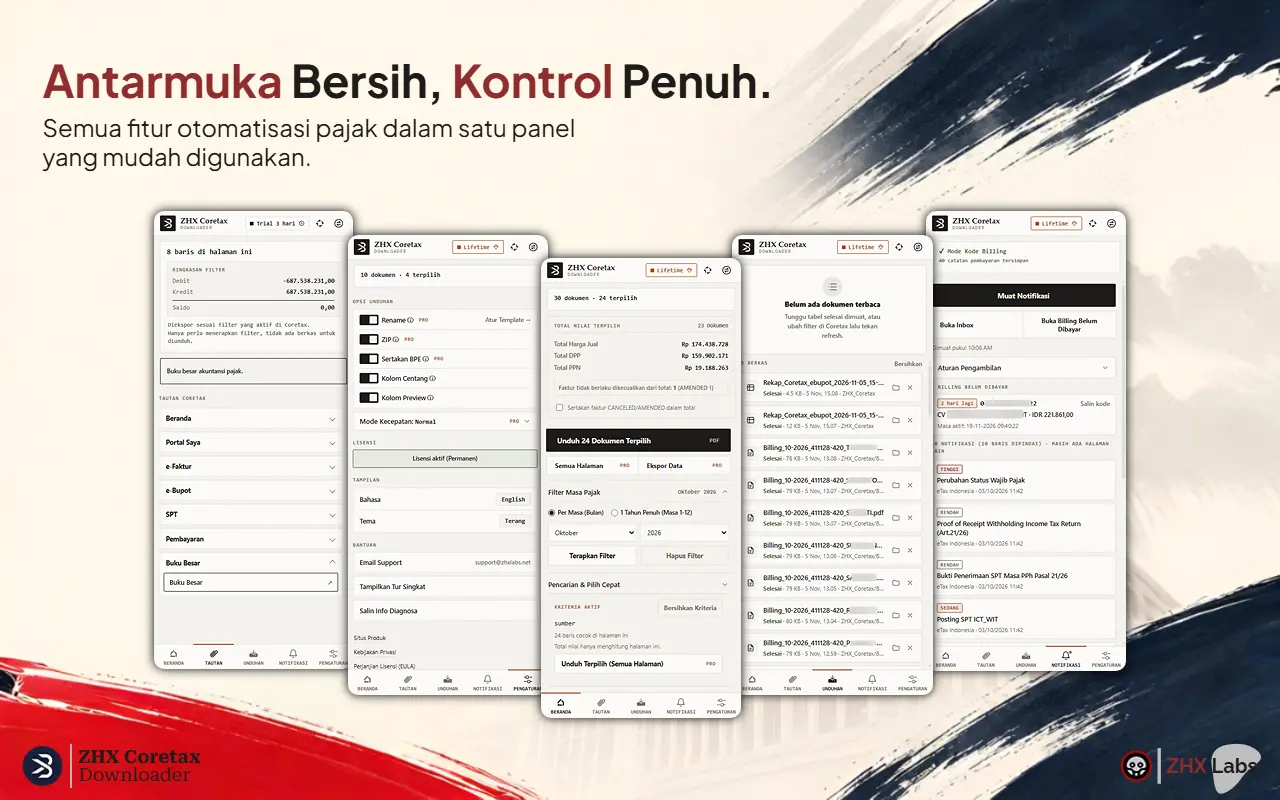
Why Manual Downloads on CoreTax Waste So Much Time
The CoreTax portal is built for one transaction at a time, not for high-volume needs. As a result, tax staff and consultants handling multiple clients or tax periods end up burning hours on repetitive work: click, wait, download, rename, repeat. On top of that, manual handling at scale increases the risk of misnamed or mixed-up files.
ZHX Coretax Downloader was built to cut that process down. What used to take hours can now be done in minutes — and everything runs locally in your own browser, using your own login session.
Key Features of ZHX Coretax Downloader
- Three Download Modes — Download All, Download Selected, or Download All Pages (automatically moves to the next page).
- Automatic Tax Period Filtering — pick a month and year, and the extension applies the filter directly on the CoreTax page.
- Auto-Rename Based on Table Data — file names are pulled directly from the data already shown in the table.
- Customizable Naming Templates — set a template per document type, freely combined with your own prefix/suffix text.
- Convenient Side Panel — the control panel stays open alongside your CoreTax tab (Chrome & Edge).
- Dark Mode & Bilingual UI — light/dark theme and Indonesian/English, toggle anytime.
The extension is available for Google Chrome, Microsoft Edge, and Mozilla Firefox, and supports the main CoreTax pages such as e-Faktur (Output & Input Tax), eBUPOT, filed SPT reports, registration documents, and other CoreTax table pages not yet specifically listed.
Example Auto-Rename Templates
Example file naming templates per document type, freely combinable with extra text such as ZHX_{number}_{name}_FINAL.pdf:
| Document Type | Example Template |
|---|---|
| e-Faktur | {number}_{name}_{date} |
| eBUPOT / Withholding Slip | {number}_{name}_{period} |
| SPT / Receipt | {type}_{number}_{period} |
How to Bulk Download CoreTax Documents
- Install the ZHX Coretax Downloader extension
On Chrome, Edge, or Firefox from the official product page.
- Log in to the CoreTax DJP portal
Use your own account, then open the document page you want to download.
- Click the ZHX Coretax Downloader icon
Opens the control panel as a side panel (Chrome & Edge) or popup (Firefox).
- (Optional) Apply a tax period filter
Select month and year directly from the panel — applied automatically on the CoreTax page.
- Set your file naming template
Per document type, e.g.
{number}_{name}_{date}for e-Faktur. - Choose a download mode
Download All, Download Selected, or Download All Pages.
- Let it run automatically
The extension processes each document one at a time, exactly as if you clicked manually.
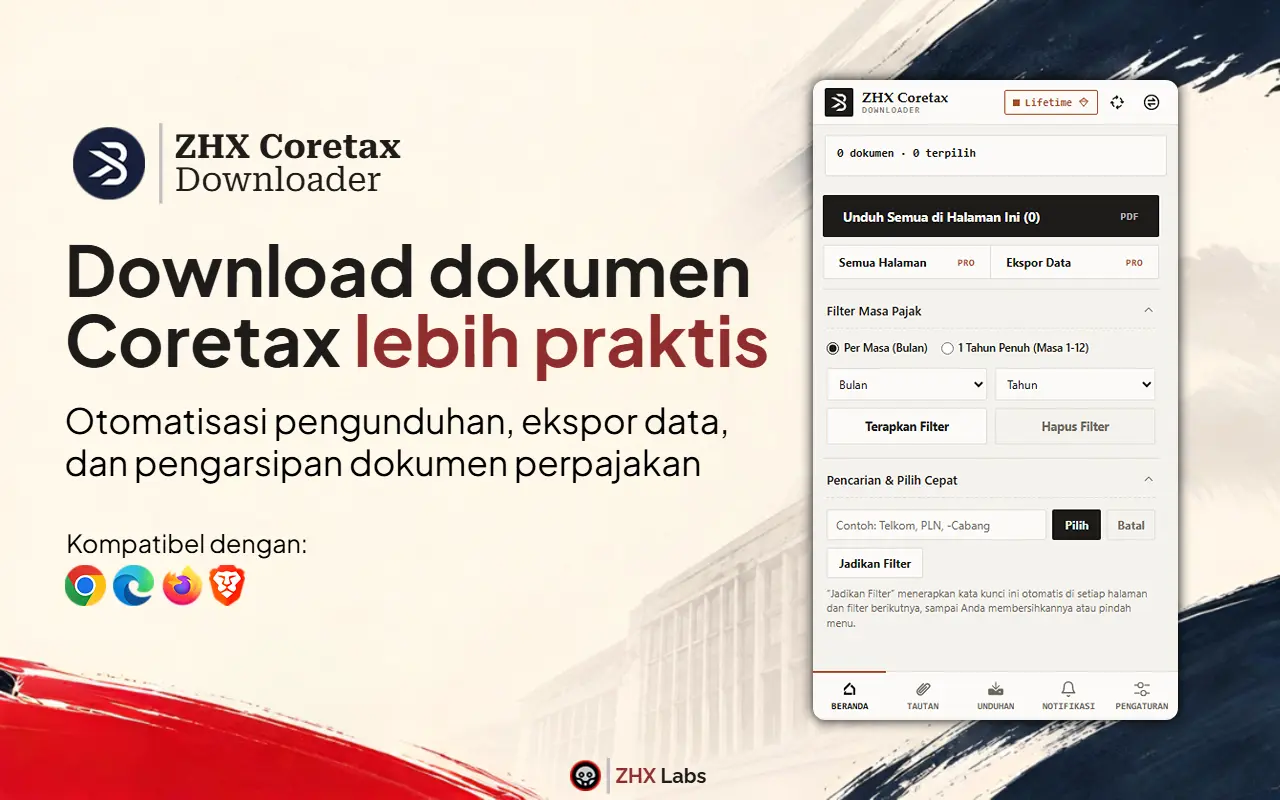
Everything runs locally in your own browser, using your own login session. The extension never reads or sends the contents of your tax documents to any server — it only interacts with buttons that already exist on the CoreTax page.
Browser Compatibility
| Browser | Status |
|---|---|
| Google Chrome | Fully supported (side panel) |
| Microsoft Edge | Fully supported (side panel) |
| Mozilla Firefox | Supported (popup mode) |
License and Free Trial
Try all download features free for 3 days, no strings attached. Once the trial ends, activate via:
- Paid serial key — instant activation.
- Community promo claim — special promotional access for supporters of the official ZHX Labs channel (manually reviewed).
Activation is done directly from the side panel — no separate page needed.
Privacy and Security of Your Tax Data
- Only runs on the official domain
coretaxdjp.pajak.go.id— it doesn't run on any other site. - Never accesses your NPWP, financial data, or login credentials.
- No ads, no third-party trackers.
Frequently Asked Questions
Is it safe to use this extension with my tax data?
Yes. All automation runs locally in your browser, and the extension never sends your document contents or personal data to any server.
Can I use it on multiple computers?
Yes, depending on the license type you activate. The number of allowed device activations follows your license terms.
What if CoreTax changes its page layout?
Our team continuously monitors and updates the extension to keep up with changes on the CoreTax side.
Install ZHX Coretax Downloader now and download dozens to hundreds of tax documents in just minutes.

ZHX Coretax Downloader is developed by ZHX Labs — it is not an official product of the Directorate General of Taxes (DJP). The names "CoreTax" and "DJP" are used solely to describe product compatibility.